DNS Records Explained: A, AAAA, CNAME, MX, TXT and NS for Website Owners
DNS decides where your website and email go. This plain-English guide explains each common DNS record, what TTL means, how to check your records and how to avoid the mistakes that take sites offline.
DNS is one of those things most website owners only think about when it breaks. You change hosting, add an email provider or verify a domain for Google, and suddenly you are staring at a table of records with strange names and numbers.
The good news is that you only need to understand a handful of record types to manage almost any website. This guide explains each one in plain English, with examples, and finishes with the mistakes that most often take sites offline.
What DNS actually does
Computers find each other using IP addresses such as 93.184.216.34. People prefer names such as example.com. DNS, the Domain Name System, is the internet's address book that turns one into the other.
When someone visits your site:
- Their device asks a DNS resolver, usually run by their internet provider or a public service like Cloudflare, "where is example.com?"
- The resolver asks your domain's nameservers, which hold your DNS records.
- The nameservers answer with the right record, and the browser connects to that address.
Your DNS records live with whoever runs your nameservers. That is usually your domain registrar, your hosting company or a service such as Cloudflare.
The records you need to know
A record: name to IPv4 address
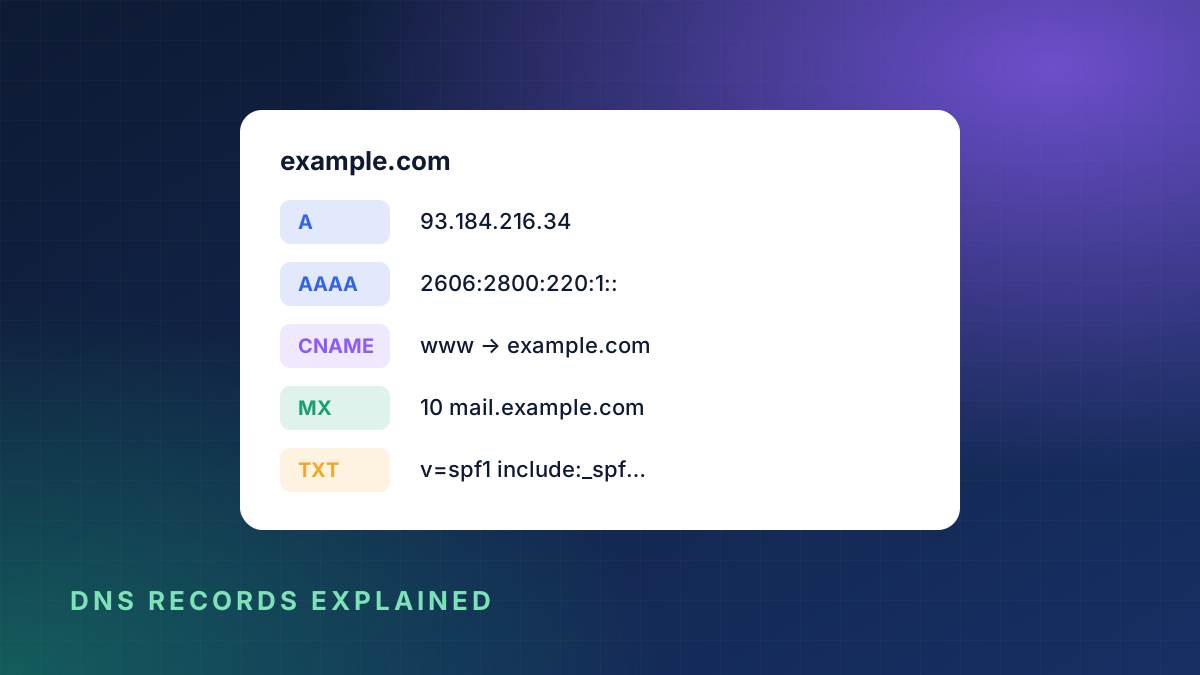
An A record points a name to an IPv4 address. It is the record that sends visitors to your web server.
example.com. A 93.184.216.34If your website is on a server, there is almost certainly an A record for your domain and probably one for www too.
AAAA record: name to IPv6 address
An AAAA record does the same job for the newer IPv6 addresses, which look like 2606:2800:220:1:248:1893:25c8:1946. Only add one if your server really supports IPv6. A wrong AAAA record can make your site fail for visitors on IPv6 networks while it works fine for you.
CNAME record: one name is an alias of another
A CNAME record says "this name is the same as that name". It is often used for www:
www.example.com. CNAME example.com.CNAMEs are also common when connecting services such as shops, landing page builders or email marketing tools. Two rules to remember:
- A name with a CNAME cannot have any other records.
- You usually cannot put a CNAME on the root domain (
example.comitself). Some providers offer a workaround called CNAME flattening or ALIAS.
MX record: where email is delivered
MX records tell the world which servers accept email for your domain. Each has a priority number, and lower numbers are tried first.
example.com.   MX   10 mail1.example-mail.com.
example.com.   MX   20 mail2.example-mail.com.
If you move email to a new provider, these are the records you change. If they are wrong, email silently stops arriving.
TXT record: text for verification and email security
TXT records hold text. They are used for:
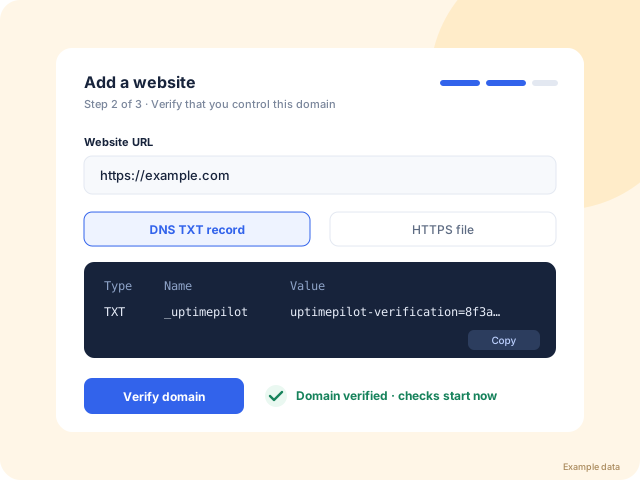
- Domain verification for services such as Google Search Console, Microsoft 365 and monitoring tools.
- SPF, which lists the servers allowed to send email for your domain, for example
v=spf1 include:_spf.google.com ~all. - DKIM and DMARC, which help stop others sending fake email in your name.
It is normal to have several TXT records. The one exception is SPF: you should only have one SPF record, so combine providers into it instead of adding a second.
NS record: who is in charge
NS records name the nameservers responsible for your domain. You normally change these at your registrar when you move DNS to a provider such as Cloudflare. Change them carefully. Every other record must already exist at the new provider, otherwise your site and email go offline.
CAA record: who may issue SSL certificates
A CAA record lists the certificate authorities allowed to issue SSL certificates for your domain, for example Let's Encrypt. It is optional but adds protection. If you add one, make sure it includes every provider you use, or renewals will fail.
SOA record: the zone's settings
The SOA record holds technical settings for the whole zone, such as the primary nameserver and a serial number. Your DNS provider manages it and you rarely need to touch it.
What TTL means
Every record has a TTL, or time to live, in seconds. It tells resolvers how long they may remember the answer before asking again.
- TTL 300 means about five minutes.
- TTL 3600 means one hour.
- TTL 86400 means one day.
TTL is why DNS changes do not appear everywhere at once. If you are planning a move, lower the TTL to 300 a day before, make the change, then raise it again once everything works.
How to check your DNS records
You can see what the world currently sees for any domain with our free DNS lookup tool. It queries public resolvers and lists A, AAAA, CNAME, MX, NS, TXT and CAA records, and also tells you whether SPF and IPv6 are set up.
For registration details, such as which registrar holds the domain and when it expires, use the WHOIS lookup.
Mistakes that take sites offline
- Changing nameservers before copying records. The new provider starts answering with an empty zone and everything disappears.
- Deleting the MX records while tidying up, which stops all incoming email.
- A leftover AAAA record pointing to an old server after a move, which breaks the site only for IPv6 visitors.
- Two SPF records, which makes email providers treat both as invalid.
- A typo in an A record, often a missing digit, that sends visitors to the wrong place.
- Forgetting the www record, so
example.comworks andwww.example.comdoes not. - Letting the domain expire, which takes DNS, the website and email down together.
Keep an eye on DNS automatically
DNS problems are especially frustrating because they often appear hours after the change that caused them, once old answers expire from caches. Uptime monitoring catches the result straight away: the site stops responding and you get an alert. KeepUpTime also watches your SSL certificate and domain expiry date, two of the most common DNS-related outages.
If you are about to move hosts or change DNS providers, set up monitoring first. Start a 3-day free trial, add your site, and you will know within a minute if anything goes wrong.